ICXHNK Auto Clipper
Download

CREATOR PLUS / MULTI-STREAM · BETA

You stream. Auto Clipper does the cutting.

Paste a livestream link and let it run. Auto Clipper watches the broadcast on your PC, catches hook moments from audio spikes, on-screen action, and chat bursts, then turns them into upload-ready vertical clips without waiting for the stream to end.

YouTube LiveTwitchTikTok Live
  • Hooks detected automatically, clips queue themselves
  • Live chat right inside the monitoring dashboard
  • Local rolling buffer, no cloud recording
3live platformsYouTube Live, Twitch, and TikTok Live in one dashboard.
±1secanalysis per segmentHook detection keeps pace with the stream instead of falling behind.
0cloud recordingThe rolling buffer and rendering stay on your PC.

01 · FEATURES

Four jobs you usually do by hand.

All of it runs while the stream is still live, and all of it stays correctable.

⚡

Automatic hooks, 24/7

Every segment is scored on audio spikes, on-screen action, and chat speed. Moments that qualify are rendered right away, with their viral potential and why.

▦

Stream Map 9:16

Gameplay stays whole in the middle, the streamer camera on top, Discord guests below. Animated game art is never mistaken for a camera.

Rp

Donations make the cut

Text and video donation alerts are spotted on screen, confirmed by reading the amount or message on your PC, and shown only while they are up.

⇄

Party Sync, multi-POV

One moment from several streamers is synced by audio, stays accurate even when the network stutters, and becomes one Party Clip: gameplay on top, reactions below.

02 · Real analysis results
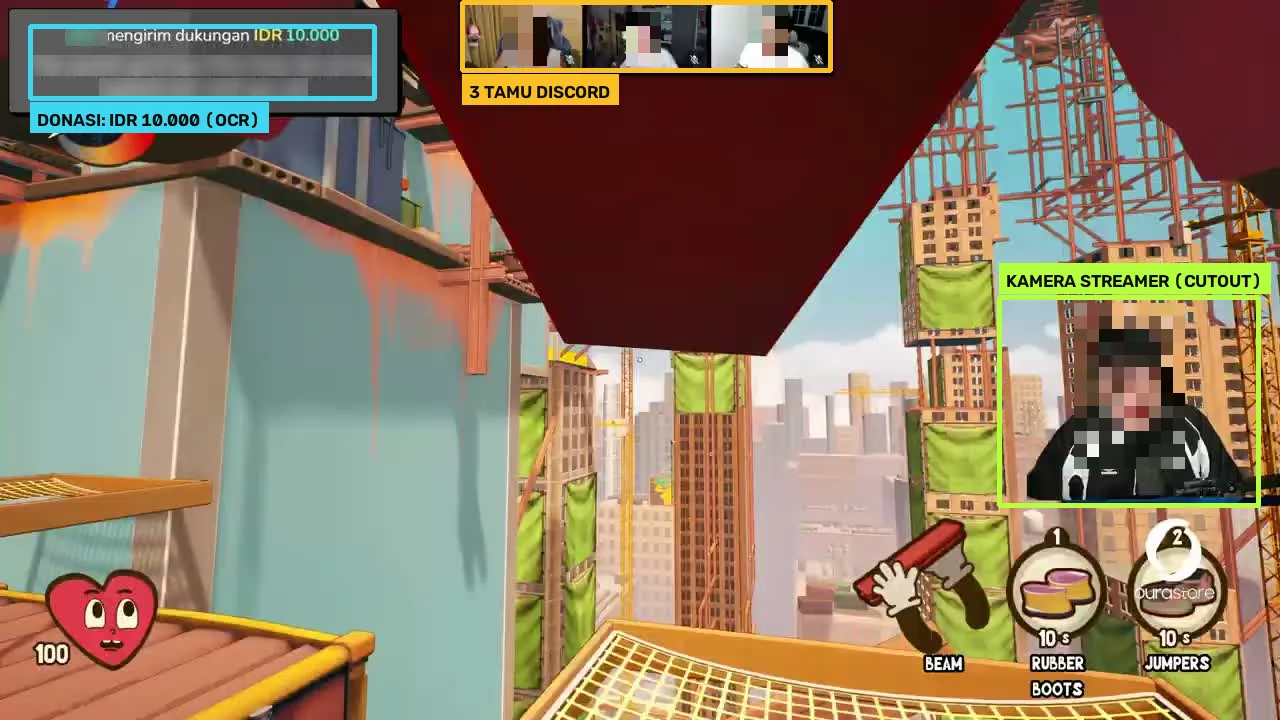
From a 16:9 stream to a 9:16 clip, with nothing cut off.

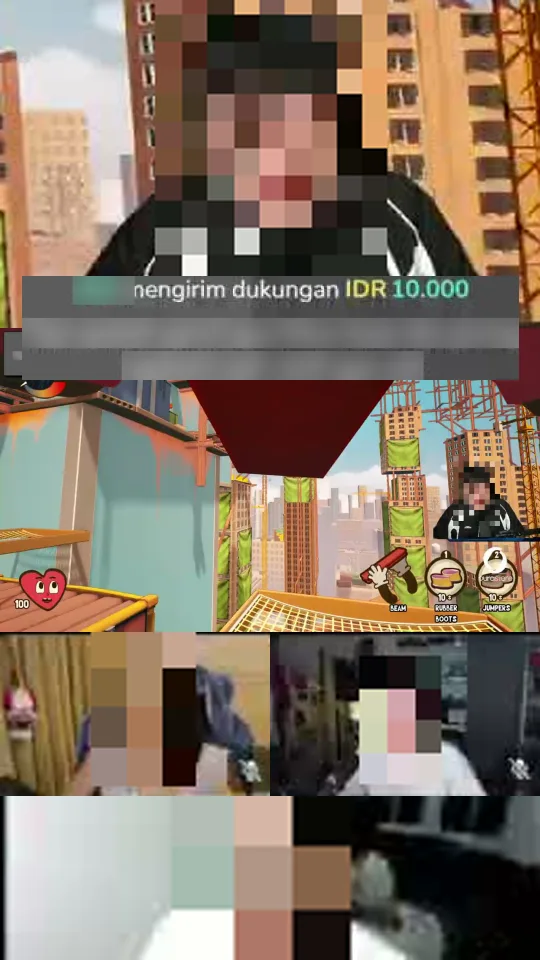
Stream analysis: streamer camera, three Discord guests, and an IDR 10,000 donation alert detected 9:16 clip: camera on top, donation over the seam, full gameplay, Discord guests below
Streamer + 3 Discord guests + a donationThe cutout camera, three Discord tiles, and the donation alert are found on their own. The amount is read by OCR on your PC, then the donation lays over the seam between camera and gameplay.
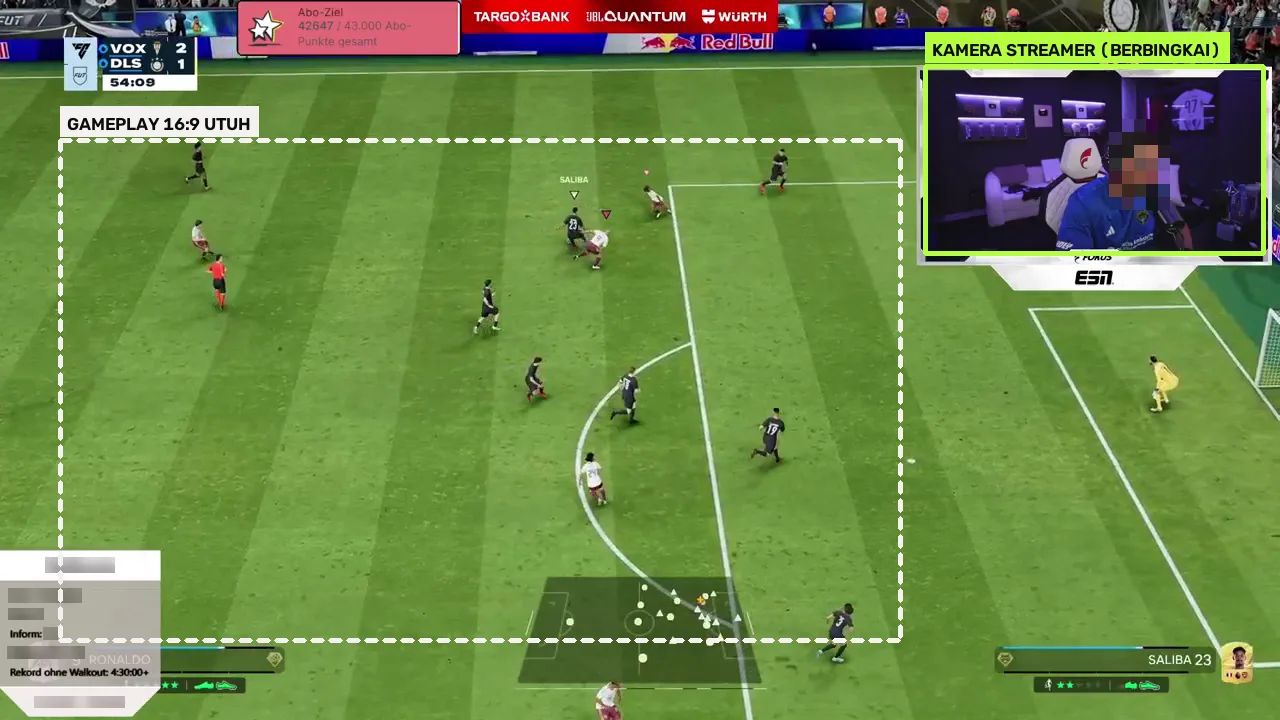
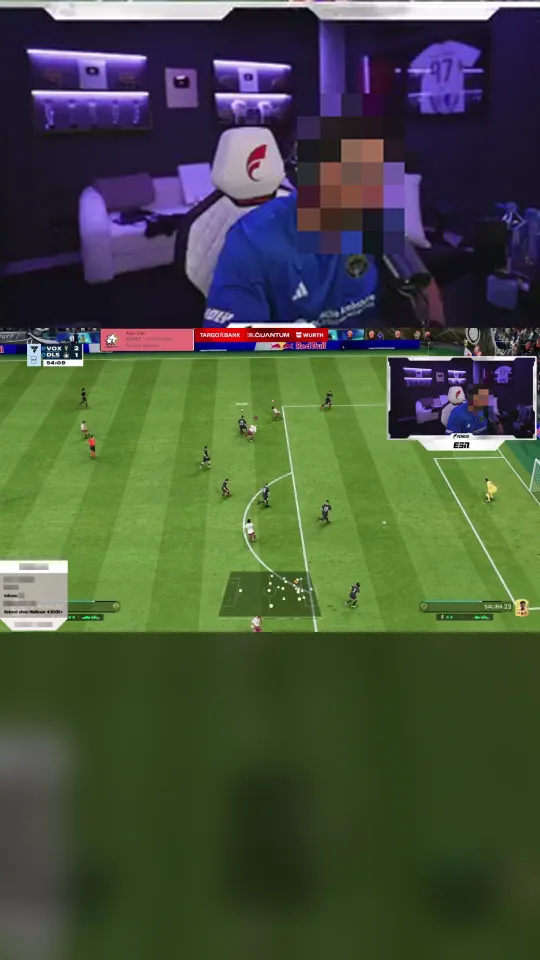
Twitch EA FC stream analysis: framed streamer camera and gameplay area 9:16 clip: streamer camera on top and the full pitch in the middle
Twitch · EA FC, framed facecamThe camera frame is found from still lines on screen. The whole pitch stays visible, so the attacking play never drops out of the clip.
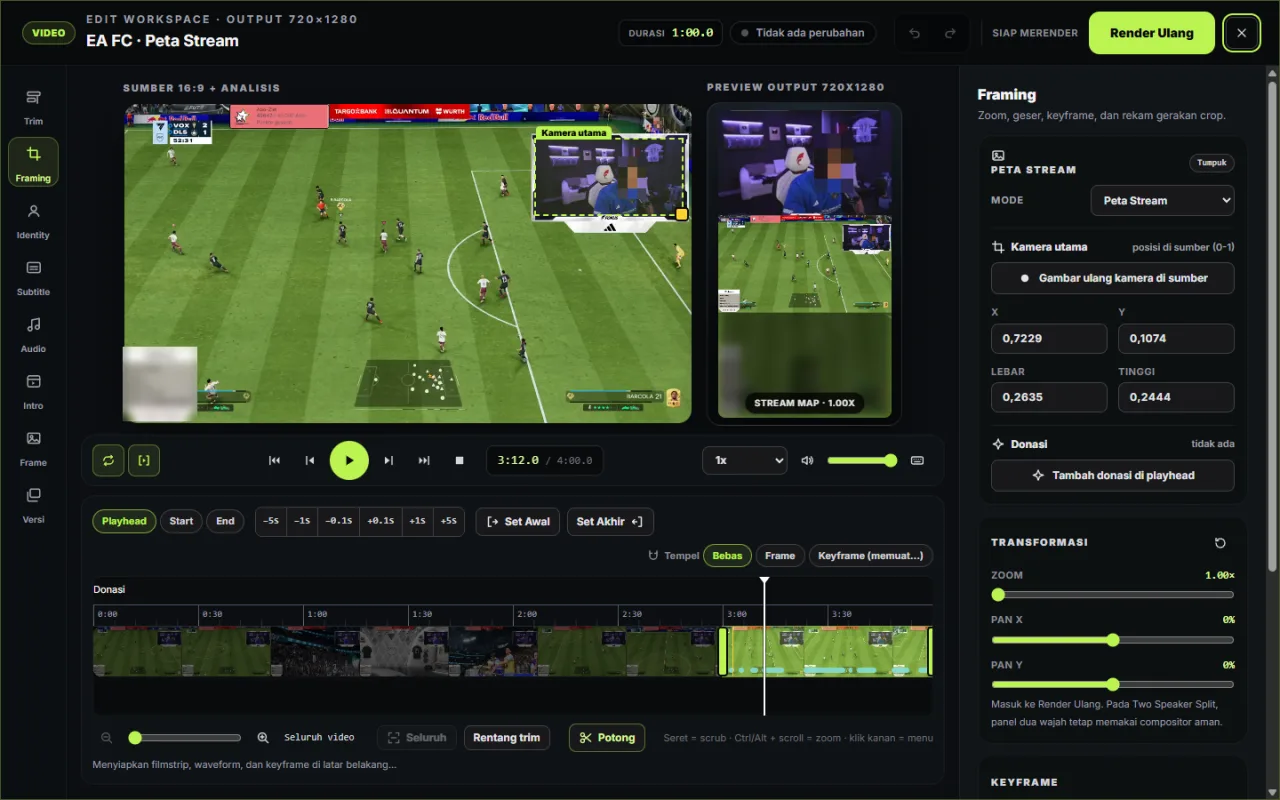
Edit Workspace showing the detected main camera box, the 9:16 preview, and the Stream Map inspector
Every detection can be correctedIn the Edit Workspace, redraw the camera box, hide or reorder guests, and add or move donations before Re-render. The preview always matches the render.

Examples come from public streams; faces, donor names, and messages are intentionally blurred.

03 · MANUAL VS MULTI-STREAM

Livestreams don't wait for the editor.

The manual way can only start once the stream is over. Multi-Stream works while the stream is still live.

MANUAL LIVESTREAM CLIPPING

Clips arrive after the stream ends

Starts: after the stream ends
  1. Wait for the VOD, then re-watch hours of footage to find the highlights.
  2. Scroll back through chat to guess when viewers really went wild.
  3. Build the vertical layout yourself: crop the facecam, place the gameplay, paste each Discord guest camera.
  4. Find and paste donation alerts by hand, and keep subtitles from being cut off.
  5. For multi-POV, line up several recordings by ear.
WITH MULTI-STREAM

Clips arrive as the moment happens

Starts: while the stream is live
  1. Paste a YouTube, Twitch, or TikTok Live link; monitoring runs on your PC.
  2. Hooks are caught from audio spikes, on-screen action, and chat bursts, and the clips queue themselves.
  3. Stream Map lays out the camera, full gameplay, Discord guests, and donations automatically.
  4. Party Sync lines up several POVs by audio, staying accurate even when the network stutters.
  5. Review and correct in the Edit Workspace, then post while the moment is still fresh.

CREATOR PLUS / MULTI-STREAM · BETA

Your next stream clips itself.

Multi-Stream Live is an add-on inside Auto Clipper. Download the app, then pick the Multi-Stream plan at checkout in the app.

Download Auto ClipperSee Multi-Stream pricingWindows 10/11 • x64 • Local Processing